Broader file access
Run workflows that read from or write to locations selected by your macOS user account, without App Sandbox container boundaries getting in the way.
 Command Runner
Download for Mac
Command Runner
Download for Mac
The direct release removes App Sandbox restrictions so your commands can work with the files, tools and workflows you expect on your Mac.
Still secure. Still Developer ID signed and Apple notarised. Now with a vastly expanded command library.
Already using the Mac App Store release? Upgrade guide → Requires macOS 12.4 or later · Apple silicon and IntelWhy direct download?
The App Store requires Mac apps to run inside Apple’s App Sandbox. That is useful for many apps, but a command runner often needs broader access to scripts, developer tools and user files. The direct release removes that one distribution restriction. The core app, interface and Command Runner security controls remain the same.
Moving from the Mac App Store?
Follow these steps before installing the direct release. Your commands should transfer automatically, but a quick export means you always have a safe copy.
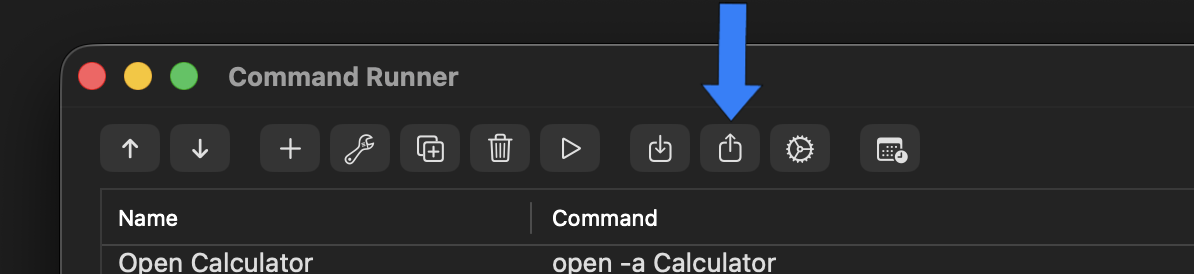
In the App Store release, choose File → Export Commands, press ⌘⌥E, or use the Export button. Save the export file somewhere easy to find.
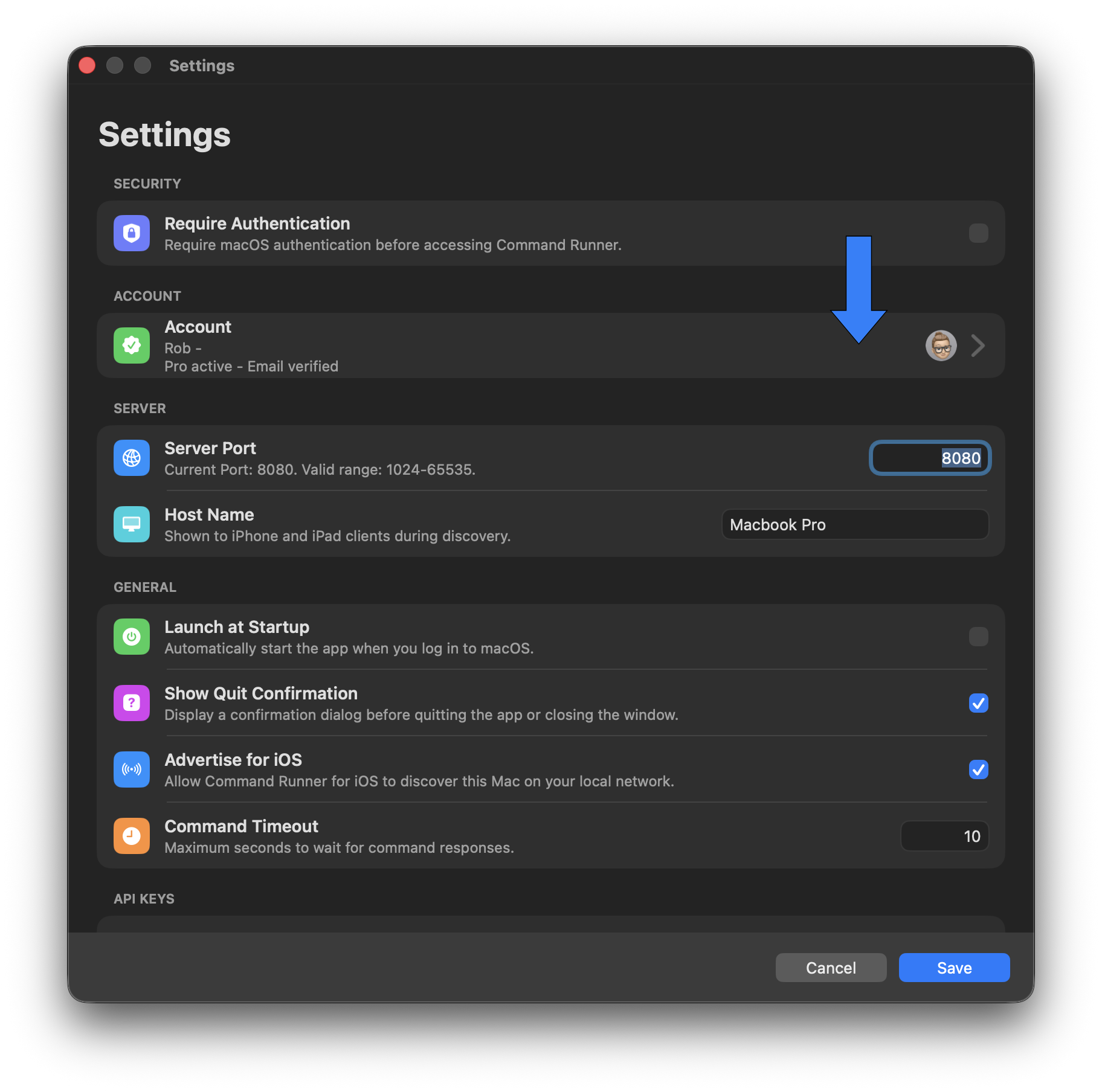
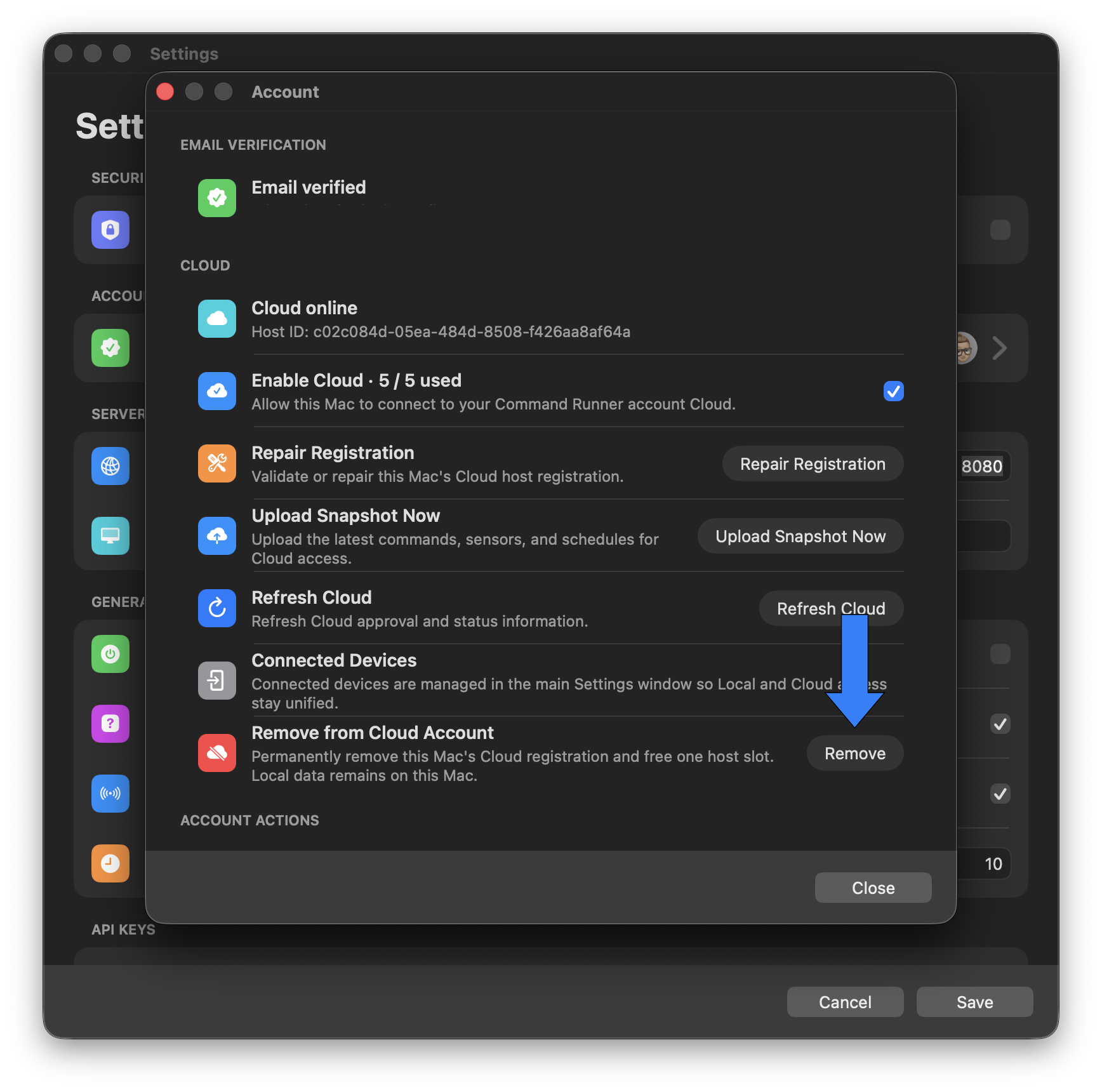
Open Settings → Account, then choose Remove from Cloud Account → Remove. This releases the Cloud host slot before you retire the App Store version.
Choose Command Runner → Quit Command Runner or press ⌘Q. Make sure the previous release is no longer running before you install the direct edition.
Run the installer and launch the direct release. Your existing commands should be ready to use.
If your commands have not appeared, import the export file you saved in step 1. You may also be asked to approve your iPhone again—look for the approval pop-up on your Host.
Your direct-release Host is ready to run commands with fewer sandbox restrictions.
Run workflows that read from or write to locations selected by your macOS user account, without App Sandbox container boundaries getting in the way.
Use shell tools, package managers, scripts and developer environments installed on your Mac with fewer distribution-related restrictions.
API keys, trusted-device approval, command confirmation and hold-to-run safeguards continue to work exactly as designed.
Safe outside the sandbox
Direct download changes how macOS confines the app — not who built it or how macOS verifies it. Command Runner is distributed with Apple’s standard security protections for software delivered outside the Mac App Store.
The application signature confirms the build comes from The Clever App Company and has not been altered.
Apple scans the release for known malicious content before it is made available.
macOS validates the signature and notarisation ticket the first time you open the app.
Commands use the permissions of your signed-in macOS account. Command Runner does not silently elevate itself.
Install in a minute
Click below to download the latest official Command Runner DMG.
Download CommandRunner.dmg ↓Open the downloaded DMG, then drag Command Runner into the Applications folder.
Launch it from Applications. macOS will verify the signed and notarised app before opening it.
Create an API key, scan the QR code in the iOS app and approve the device on your Mac.
Command Runner for Mac
Download the direct release and give your established Mac workflows the room they need.
Latest direct releaseDownload for Mac macOS 12.4+ · Apple silicon and Intel